Find the sweet spot.
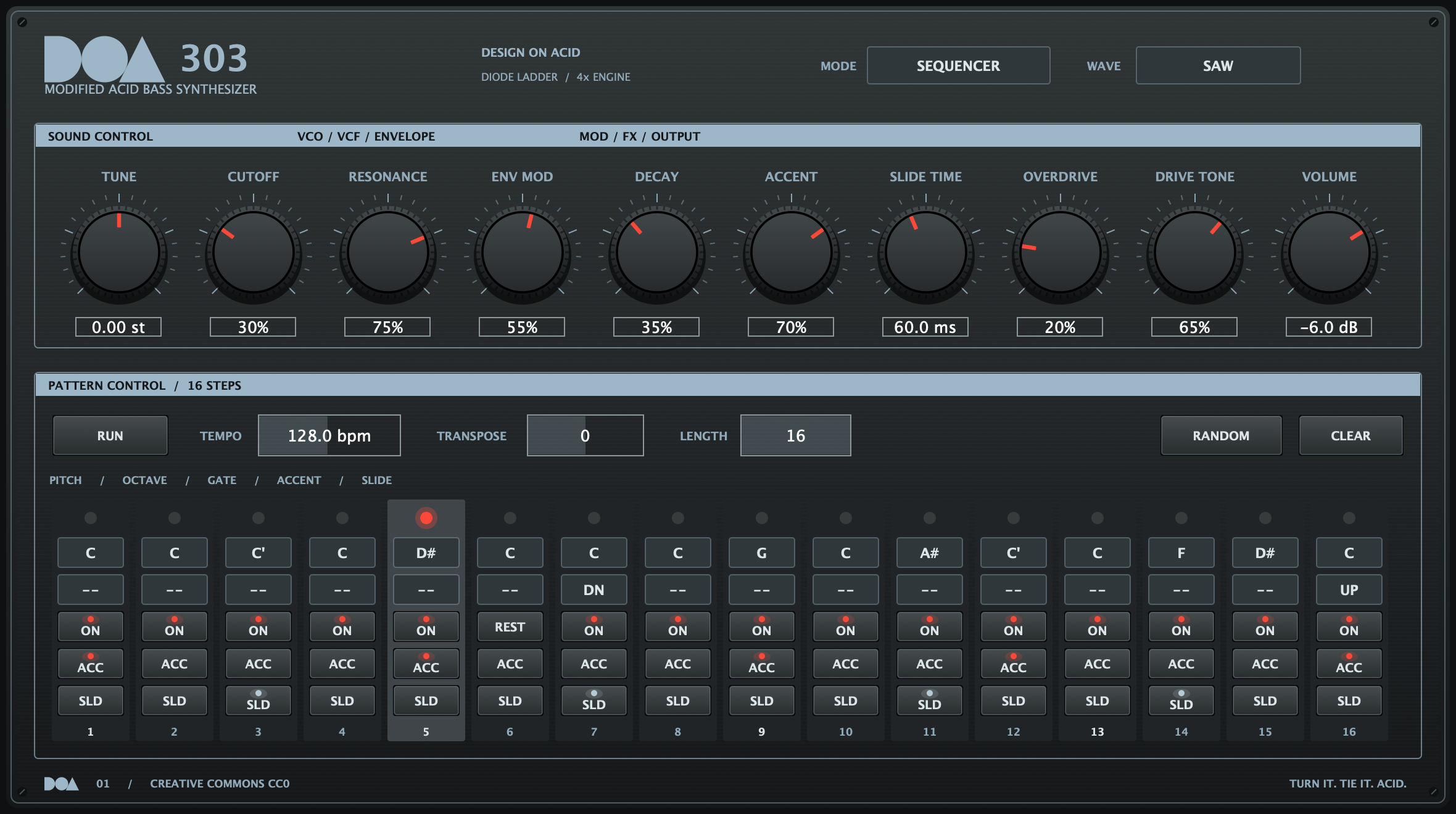
Saw or square into a coupled diode ladder filter. Open the cutoff, push the resonance and let the envelope do the talking.
A little box.
A lot of acid.
A bassline machine from Design On Acid.
Built to squelch. Made to be played.
The same phrase twice: Grit off, then 65%. RMS matched. No external effects.
Inspired by the spirit of the 303. An original instrument for slippery basslines, sharp accents and late-night repetition.
Saw or square into a coupled diode ladder filter. Open the cutoff, push the resonance and let the envelope do the talking.
Resonance shapes the accent sweep. Repeated accents build energy, while slides tie notes together without restarting the envelopes.
Blend Overdrive with parallel Grit for rougher midrange and retained low bass. Shape the edge with FX Tone. Both effects run inside the 4x engine.
Draw notes on a sixteen-step piano roll. Roll separate dice for pitch, on/off, glide and accent. Follow your DAW tempo, or choose DAW MIDI to play clips and a keyboard directly.
Free to download. No account, no activation, no subscription. Pick your operating system and make some noise.
~/Library/Audio/Plug-Ins/Components/.macOS / VST3~/Library/Audio/Plug-Ins/VST3/
Windows / VST3C:\Program Files\Common Files\VST3\
Linux / VST3~/.vst3/
macOS downloads are ad-hoc signed and not notarized. Your system may ask you to allow the plugin before loading it. Read the installation notes.